Want more mods for Wobbly Life? Explore our entire collection!
Extras (Custom NPC Studio)
"Fill your town with a named cast you dress, pose, follow, and give a line."
/WobblyLifeExtras1.png)
How do I install Extras (Custom NPC Studio)?
Download the free ProjectMods desktop app, then install Extras (Custom NPC Studio) for Wobbly Life in one click.
</>What does Extras (Custom NPC Studio) do?
Ever wanted to fill your world with your own characters? Extras lets you drop a wobbly townsperson in front of you and make them yours. Give them a name, show it just above their head, pick a hat, top, and bottoms, or take a piece off with None. Press Copy My Outfit to dress the selected person in what you are wearing. Paint a body color if you like — the picker starts on the normal Wobbly color. Everyone you spawn lands in Your People. Pick one person and tell them what to do: stay put, follow you, look at you, wander, get in the car, drive the car, follow you in the car, sit, wave, and more. Duplicate This Person copies the selected person, including what they are doing. Type a Chat Bubble and press Say It for a normal bubble, or Say It Angrily for the angry one. Quiet People stops speech bubbles and chatter on the whole cast. Spawn as many as you need, then remove one person or clear everyone when you are done.
</>What is Extras (Custom NPC Studio)?
Extras (Custom NPC Studio) lets you fill Wobbly Life with a cast you direct. Spawn a named townsperson, duplicate them, dress them, and pick anyone from Your People to sit, wave, follow you, wander, get in a car, drive around, follow you in a car, or speak. Names sit above their heads. Quiet People hides job marks on the whole cast. They hold their spot for photos, stories, and staged towns.
</>Common questions about Extras (Custom NPC Studio)
What does Extras (Custom NPC Studio) do in Wobbly Life?
Extras (Custom NPC Studio) lets you fill Wobbly Life with your own cast. Spawn a townsperson in front of you, give them a name, pick clothes or take clothes off, and paint a color if you want. They stay where you put them unless you tell them to follow you. Open Your People to pick anyone you have already spawned, then dress them, change what they are doing, or bring them back beside you. When the scene is done, remove that person or clear everyone at once. It is built for photos, stories, crowds, and staged towns.
How do I change someone I already spawned?
The Your People list is how you direct the cast. Every person you spawn is added there under the name you typed, or Person 1, Person 2, and so on if you leave the name blank. If two or more people share the same name, the list shows Name 1, Name 2, and so on, while the name over their head stays just the name. Select someone and everything else in the panel talks to that one person. Press Duplicate This Person to copy them beside you, including clothes, color, and what they are doing. New spawns become selected automatically so you can keep tweaking them.
How do I dress them, or take clothes off again?
New people keep a normal townsperson look until you dress them on purpose. Load into a world, press Refresh Clothes, then pick a hat, top, and bottoms. Until you refresh, those lists say Refresh Clothes instead of leftover item codes. Spawn a new person to use those picks, or press Dress This Person to restyle whoever is selected in Your People. Choose None at the top of a clothing list to take that piece off. Press Copy My Outfit to instantly dress the selected person in whatever you are wearing right now.
How do I make them sit, wave, or follow me?
Pick someone in Your People, then choose one option under What They're Doing. Stay put holds them in place. Follow me walks them after you on the ground. Look at me turns them to face you. Wander lets them stroll nearby. Get in the car puts them in a passenger seat and kicks out a townsperson already in it, never on top of you. Drive the car puts them behind the wheel of a nearby car you are not in, and they cruise like town traffic. Follow you in the car has them drive after you and wait nearby. If they bump something while driving, they reverse and try again. Sit, Wave, Look around, Hold arm out, Hold something up, Walk on the spot, Pretend to drive, and Ride are the game's own townsperson moves. Dance, Cheer, and Rest try extra motions. Stay put gets them out of the car.
Can I show their names, keep them quiet, and make them talk?
Yes. Show Names is on by default, so each spawned person has their name sitting just above their head. Quiet People stops speech bubbles, job marks, and random chatter on everyone already spawned, not just new people. Type a line in Chat Bubble, then press Say It for the normal bubble or Say It Angrily for the game's angry bubble and sound. Use ~ to split into more than one bubble. If someone has followed you across town, select them and press Bring Them Over. Remove This Person deletes only the one you have selected, and Remove Everyone clears the whole cast when the scene is wrapped.
What options does Extras (Custom NPC Studio) include?
Full Outfit
Pick a full outfit for your next spawned NPC — overrides the hat/top/bottoms picks. Used when Copy My Outfit is off.
Quiet NPCs
Spawned NPCs keep quiet — no chatter bubbles borrowed from the townsperson they're based on.
Spawn NPC
Drop a wobbly NPC into the world right in front of you.
Remove All NPCs
Clear out every NPC you've spawned with this mod.
Refresh Clothes List
Load the full clothing catalog into the pickers below. Takes a few seconds — do it once per session.
Refresh Clothes
Load hats, tops, and bottoms. Do this once after you are in a world.
Use This Color
Paint the selected person, and new spawns, with the body color below. Leave this off to keep the normal Wobbly color.
Say It Angrily
Same as Say It, but with the game's angry speech bubble and sound.
Spawn Person
Place a new person in front of you. Walk near a townsperson once first so we can copy a body.
Body Color
Starts on the normal Wobbly color. Used when Use This Color is on.
Your People
Pick which spawned person you want to change. New spawns are selected automatically. If two people share a name, the list shows Name 1, Name 2, and so on. The name over their head stays the original name.
Quiet People
Stop speech bubbles, job marks, and random chatter on everyone already spawned. Say It still works for a line you type.
Bring Them Over
Move the selected person back in front of you.
Dress This Person
Apply the hat, top, and bottoms picks to whoever is selected.
Name
Name for the next person you spawn. Use Rename This Person to change someone already in the list.
Say It
Make the selected person say the Chat Bubble text in the game's normal speech bubble.
How This Works
Spawn a person, then pick them from Your People. Press Duplicate This Person to copy them. Press Copy My Outfit to dress that person in what you are wearing. Clothes, color, What They're Doing, and Chat Bubble apply to that one person. Quiet People updates everyone already out. Hit Refresh Clothes once you are in a world.
Remove Everyone
Clear every person you have spawned with this mod.
Top
Top for the next spawn, or for Dress This Person. None takes the top off. Hit Refresh Clothes first.
Bottoms
Bottoms for the next spawn, or for Dress This Person. None takes the bottoms off. Hit Refresh Clothes first.
Copy My Outfit
Dress the selected person in whatever you are wearing right now.
Duplicate This Person
Make a copy of the selected person beside them, including name, clothes, color, and what they are doing.
Rename This Person
Give the selected person the name in the Name box.
Chat Bubble
What the selected person should say. Use Say It or Say It Angrily. Use ~ to split into more than one line.
Hat
Hat for the next spawn, or for Dress This Person. None takes the hat off. Hit Refresh Clothes first.
Remove This Person
Remove only the person currently selected in Your People.
Show Names
Show each spawned person's name above their head.
What They're Doing
Pick one thing for the selected person. A new pick replaces the last.
Extras (Custom NPC Studio) lets you spawn named townspeople in Wobbly Life, pick anyone from Your People, then dress, recolor, pose, follow you, or speak a custom speech bubble.
System Requirements
What features does Extras (Custom NPC Studio) include?
- Spawn a named townsperson in front of you and keep a list of everyone you have placed
- Dress the selected person, copy your outfit onto them, or pick None to take a piece off
- Show names above their heads, and paint from the normal Wobbly body color
- Tell the selected person to stay put, follow you, get in the car, drive around, follow you in a car, wander, or speak a line
- Bring one person back beside you, or clear the whole cast when you are done
Best For
- Builders filling streets, shops, and plazas with a named crowd that actually stays put
- Story and video makers posing a cast, swapping outfits, and filming without anyone drifting out of frame
- Photo-mode fans lining up a group shot with matching or mixed looks and frozen poses
- Streamers spawning a background crowd for a bit, then wiping everyone with one press when it is time to move on
More Mods for Wobbly Life
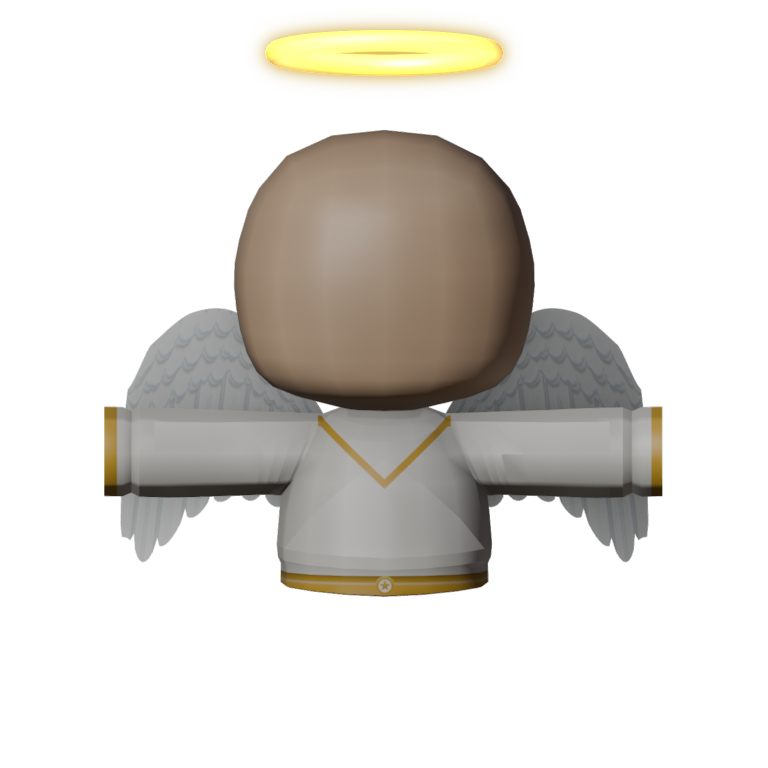
Dawnwing Robe
A white robe top with a gold V, gold cuffs and a gold sash, plus big white feathered wings on the back and a gold halo over your Wobbly's head. The top piece of the Dawnwing set.
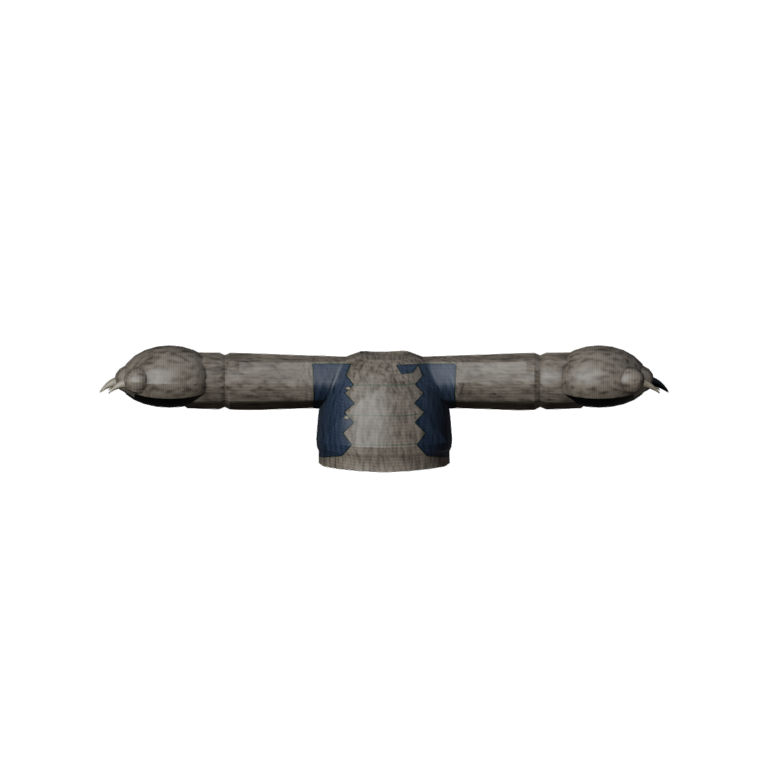
Moonhowler Torn Shirt
A work shirt burst open down the front, sleeves split at the seams and coarse fur pushing through every tear. Part of the Moonhowler set.
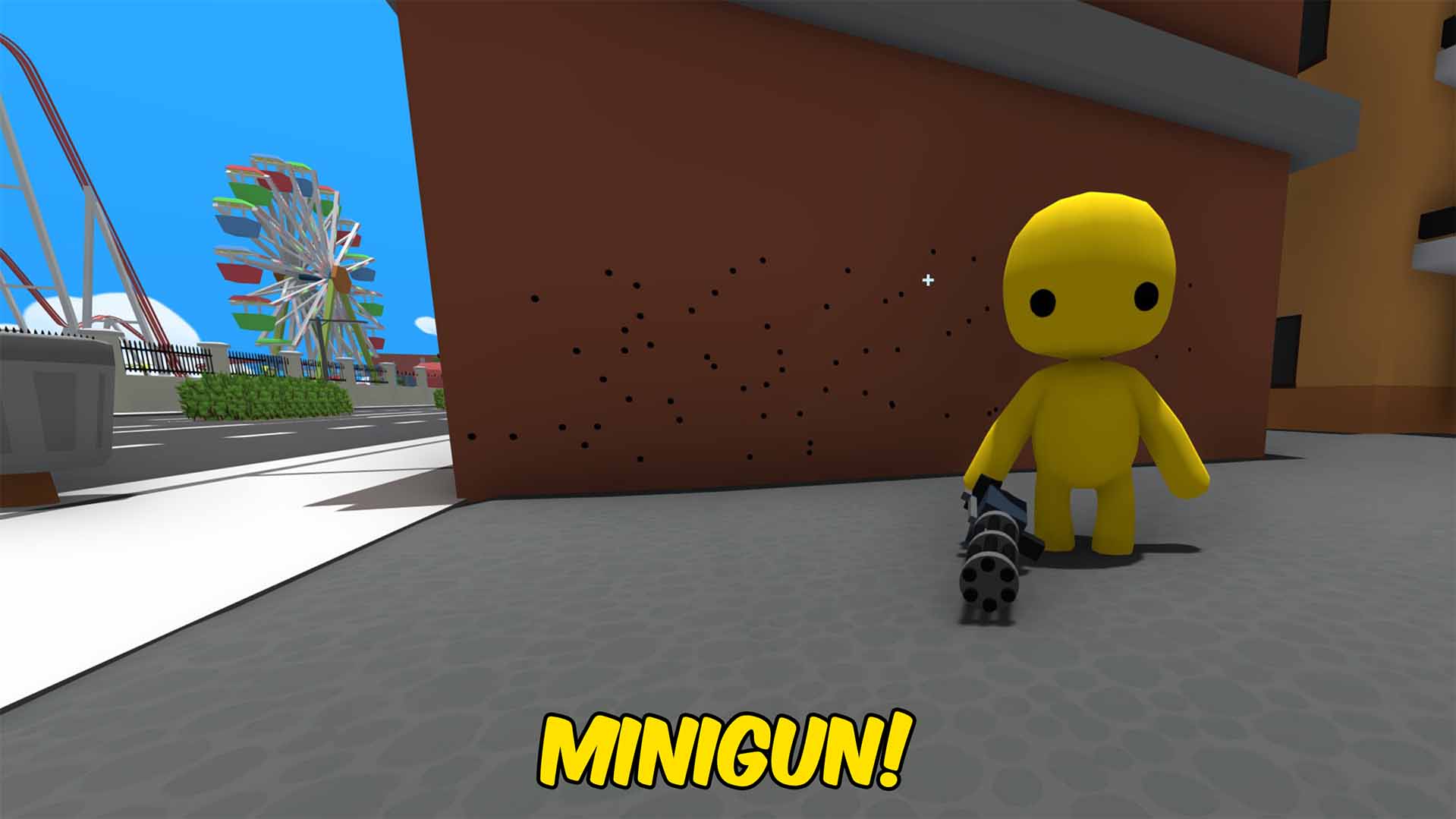
Minigun
A high-rate minigun inspired by the M249, tuned for intense sustained fire.