Want more mods for Low-Budget Repairs? Explore our entire collection!
Toolbox Deluxe
"Stop working with the cheap stuff."
How do I install Toolbox Deluxe?
Download the free ProjectMods desktop app, then install Toolbox Deluxe for Low-Budget Repairs in one click.
</>What does Toolbox Deluxe do?
You start this game with tools that are, politely, rubbish. The brush is narrow, the trowel is awkward, the drill is slow, and every upgrade is money you would rather spend on materials. Toolbox Deluxe skips the shopping. One press takes your whole kit to its best version - the wider brush, the better trowel, the faster drill, the lot. Everything you do afterwards is quicker and comes out neater, which matters a great deal on the big apartment jobs where you are painting entire rooms by hand. It is the single biggest change to how the game feels to play, because the upgraded kit is what the later game is balanced around. Works well with Trade Secrets if you want the shop side opened up as well.
</>What is Toolbox Deluxe?
You start Low-Budget Repairs with tools that are, politely, rubbish, and every upgrade is money you would rather spend on materials. Toolbox Deluxe skips the shopping and takes the whole kit to its best version in one press. Upgraded tools cover more area per stroke and work faster, which is what the later jobs are balanced around.
</>Common questions about Toolbox Deluxe
What does Toolbox Deluxe do in Low-Budget Repairs?
Toolbox Deluxe takes every tool you own in Low-Budget Repairs to its best version in one press. The starting kit is deliberately poor: a narrow brush, an awkward trowel, a slow drill, and every upgrade competes with money you would rather spend on materials. Toolbox Deluxe takes the whole set to its top tier at once, so brushes, trowels, drills and screwdrivers all reach their best version together. Everything you do afterwards is quicker and comes out noticeably neater, right from your first job.
Which tools does Toolbox Deluxe upgrade?
Toolbox Deluxe upgrades the whole kit in a single press: brushes, trowels, drills and screwdrivers all go to their top version at once, rather than one at a time as you can afford them. Upgraded tools in Low-Budget Repairs cover more area per stroke and work faster, which is the single biggest change to how the game feels, because the later jobs are balanced around having them. It matters most on the big apartment work, where every stroke saved compounds across a whole flat.
Does Toolbox Deluxe change how the job is scored or paid?
No. Toolbox Deluxe only changes the kit in your hands. The scoring in Low-Budget Repairs still tracks your workmanship and the payout still works out the same way it always did. What changes is that better tools make it easier to do neat work quickly, so your results often improve simply because the job is easier to do well, not because the marking got any softer. If you want the scoring itself to stop biting, that is Cowboy Contractor, which is a separate mod entirely.
Is there anything to configure on Toolbox Deluxe?
No. Toolbox Deluxe is one button, Upgrade Every Tool, and pressing it takes your entire kit to its best version. There is no slider to balance and no toggle to leave switched on, because you press it once and it is done. Do that on a new Low-Budget Repairs save and your tools are sorted for the rest of the run. If you would rather earn some of them the long way, simply leave the button alone until the upgrade grind stops being interesting.
When should I press Toolbox Deluxe?
Early, if you are replaying. On a first run there is some satisfaction in earning the upgrades, but on a second pass through Low-Budget Repairs the tool grind is mostly a tax on getting to the interesting flats. Pressing Toolbox Deluxe at the start means you are working with the kit the later jobs assume you have. It also pairs well with Trade Secrets, which opens the shop categories that are normally gated, for people who mainly want to decorate.
What options does Toolbox Deluxe include?
Unlock Every Tool
Press first if you are early in the game - hands you every tool in the kit so there is something to upgrade.
Upgrade Every Tool
Press to take every tool you own to its best version. If nothing happens, press Unlock Every Tool first.
Toolbox Deluxe upgrades your whole kit in Low-Budget Repairs to its top tier in one press, so brushes, trowels, drills and screwdrivers all cover more ground per stroke. From ProjectMods.
System Requirements
What features does Toolbox Deluxe include?
- Takes every tool you own to its best version in one press - brushes, trowels, drills, screwdrivers
- Covers more area per stroke, so painting a whole room stops eating an hour of your evening
- Puts you on the kit the later contracts are balanced around, from your very first job
- Saves the upgrade money for materials, fittings and the rooms you actually want to build
Best For
- Starting a fresh career without the opening hours of a narrow brush and a slow drill
- Big apartment contracts where you are painting whole rooms and the wider brush earns its keep
- Second playthroughs, when the upgrade grind is a lap you have already run once
- Spending your money on wallpaper and fittings instead of on the kit that applies them
More Mods for Low-Budget Repairs
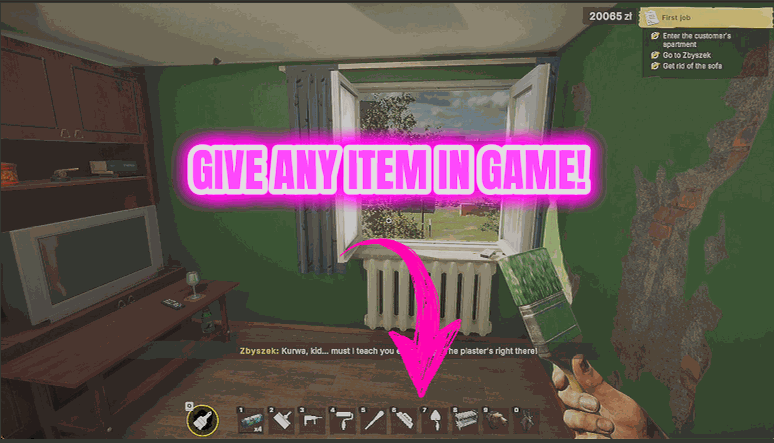
Supply Run
Hands you any item in the game directly, so you never have to drive back for one missing thing.
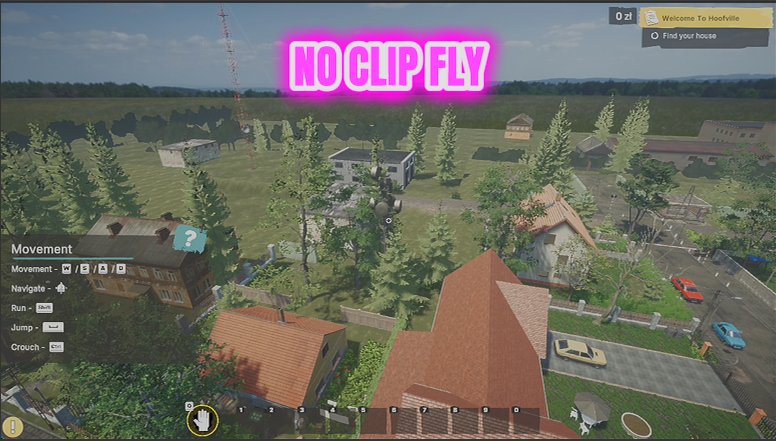
Site Ghost
Lets you fly around a job site and pass straight through walls, floors and half-built rooms.
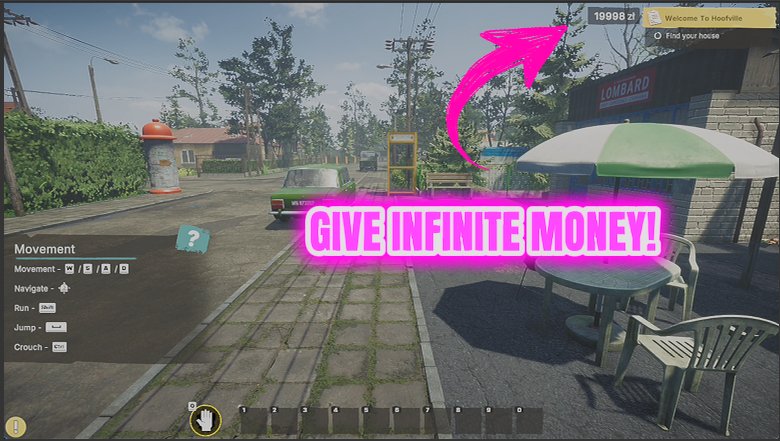
Cash Advance
Drops money straight into your wallet whenever you want it, and can keep topping you up so you never stall halfway through a renovation.